
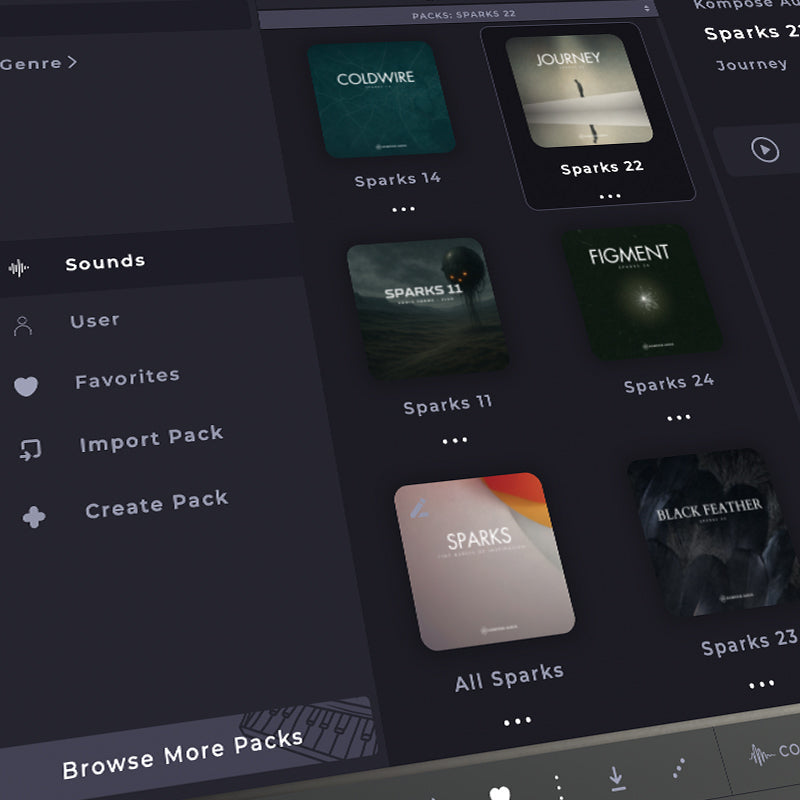
We have created a blank All Sparks Soundbox template that makes it easy to add all of your installed Sparks - as well as future Sparks into one single pack.
Click here to download the All Sparks Pack.
Once downloaded, simply follow these steps:
1. Import the All Sparks pack
Open Soundbox and import the All Sparks pack. This will add a blank pack to Soundbox, complete with the cover and icon artwork.
You’ll see a preset called Blank Preset, which you can delete.
2. Load one of your Sparks
In the Packs section, select one of your installed Sparks packs and double-click the preset to load it.
3. Save it to the All Sparks pack
Now select the All Sparks pack and click the Save Preset icon - the small downward-facing arrow to the right of the heart icon.
The Save New Preset window will appear.
When saving, add the Sparks number to the beginning of the preset name. For example:
Sparks 22 - Journey Pad
This makes it easy to see which Sparks release the preset originally came from. Soundbox also won’t allow you to save the preset using exactly the same name as the original, so adding the Sparks number solves this too.
4. Repeat for your other Sparks
Simply repeat the process for each Spark you want to add. Each preset will then be saved into your All Sparks pack, giving you one convenient place to access your entire Sparks collection.
You can also follow the same process each time a new Spark is released.
IMPORTANT - Please do not delete or move your original Sparks sample folders
When you save a Sparks preset to the All Sparks pack, the original samples are not moved or copied. They remain in their original location within the Soundbox Imported Samples folder.
The presets in your All Sparks pack will continue to reference the samples in these original folders. Therefore, please do not delete, rename or move any of the original Sparks sample folders, as this may prevent the presets from being able to locate and load their samples correctly.
If you need any help, please email us at info@komposeaudio.com.

Hinterlasse einen Kommentar
Alle Kommentare werden vor der Veröffentlichung geprüft.
Diese Website ist durch hCaptcha geschützt und es gelten die allgemeinen Geschäftsbedingungen und Datenschutzbestimmungen von hCaptcha.