

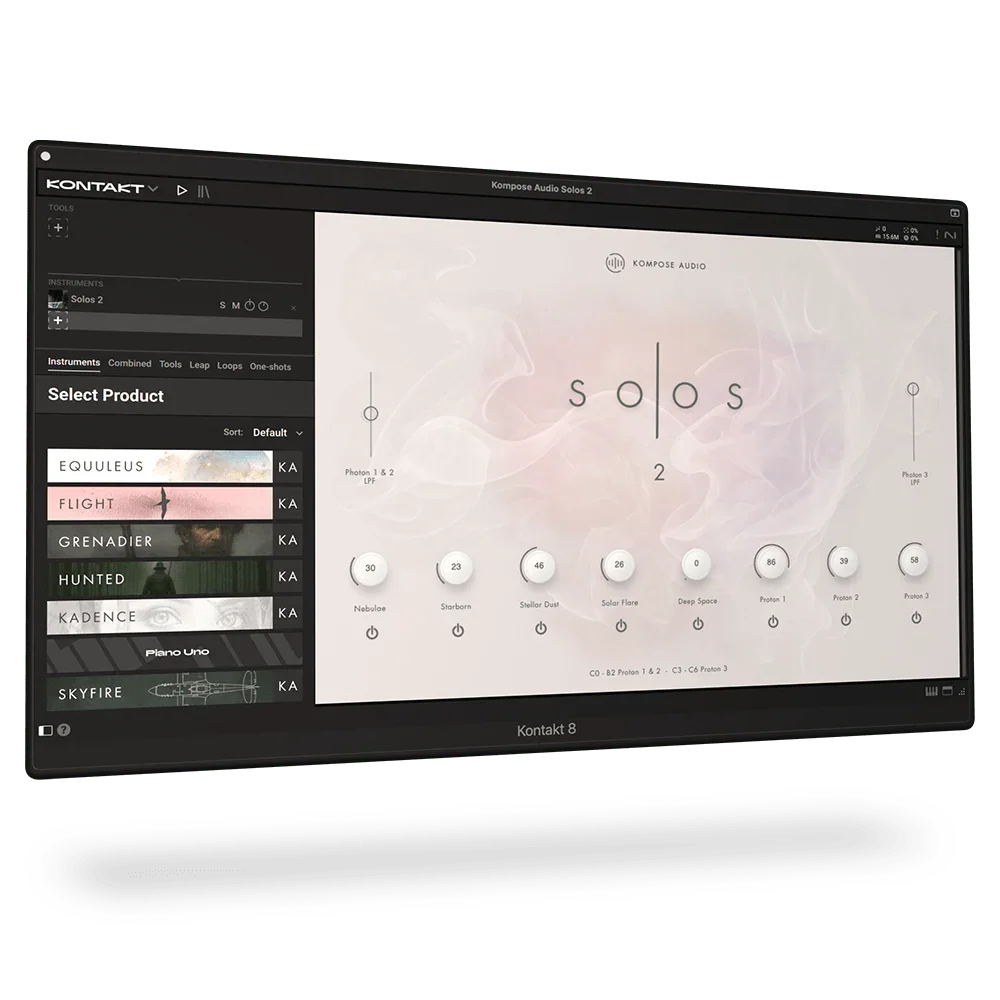
Hear It in Action
Solos 2
3 reviews
3 reviews
Made for the full version of Kontakt
Requires the full version of Kontakt 7.10.2 or higher. This product will not work with the free Kontakt Player.
What is Kontakt?
Kontakt is a powerful software sampler developed by Native Instruments, giving musicians and composers access to deeply sampled, expressive instruments with extensive sound-shaping possibilities. All Kompose Audio Kontakt products require the full paid version of Kontakt and will not work with the free Kontakt Player.
How do I install Kontakt Instruments?
You can load Kompose Audio Kontakt products in one of three ways:
- Add the product to Kontakt’s main Library Browser - recommended (instructions in the link below).
- Load the .nki files via the Files tab (in Kontakt 8 you must be in Classic View with Side Pane enabled).
- Drag and drop the .nki files directly into Kontakt.
Includes:
- 1 Voreinstellung.
- 142 MB (entpackt).

One-Shot Kontakt Instruments für mühelose Ambient-Soundscapes
Kompose Audio Solos sind deine erste Wahl als One-Shot-Preset-Instrumente für Kontakt und wurden entwickelt, um Kreativität zu entfachen!
Jedes Solo bietet dir ein sattes, tiefes Pad auf den unteren Tasten und ein wunderbar spielbares Instrument auf den höheren Tasten. Mit 8 smarten, MIDI-zuweisbaren Controllern sowie Attack- und Low-Pass-Filter-Reglern hast du alles, was du brauchst, um deinen Sound genau nach deinen Wünschen zu formen und ihn mühelos in deine Kompositionen einzubinden.
Nice sound but the lower keys (pads) doesn't work, I was investigating and the same thing happens to several users
Hi Mauricio, thank you for your feedback - much appreciated. I have tested Solos 2 and I am not having any issues with the lower keys. I have uploaded a video here so you can see it working.
This is using my 2013 Intel iMac 3.4 GHz Quad-Core Intel Core i5 with 24 GB RAM.
One of the layers (groups) in Solos 2 uses Time Machine Pro. A possibility is that on some systems with lower RAM, Time Machine Pro might be a little too CPU heavy. In this instance, what you can do is click on the spanner icon in the top left of Kontakt, select Group Editor and then select Proton 1 and change the Source from Time Machine Pro to DFD. This will reduce the CPU usage.
I have several Kompose instruments, and I'm generally very happy with their sounds and functionality. However, in Solos 2 the left-hand (red) side of the keyboard only works very intermittently with my aging but trusty M-Audio Axiom49 controller in Kontakt 7; sometimes when I push a key down, the instrument reacts, but usually it doesn't. Then it starts again for a couple of notes, then stops again. (Clicking the on-screen keyboard with the mouse always works, but that's no way to play.) At the same time, the right-hand (green) side works perfectly with the keyboard controller. This problem doesn't occur with Solos 1, with any other Kompose instrument I have, or with any of my other Kontakt instruments. It's unfortunate, because the sounds are great.
Hi Paul, thank you for your feedback. Please can you email me via the link on the support page and I will be more than happy to help you.
Just what I was looking for
Hi Geoff, glad you are enjoying using Solos 2.
Reviews in Other Languages
You may also like
Stay in the loop!
Don't miss out on the latest additions, free products, offers and interesting things!


