
Audio Demos
The Lake
Tributo incluído.
What is Raizes and where can I download it?
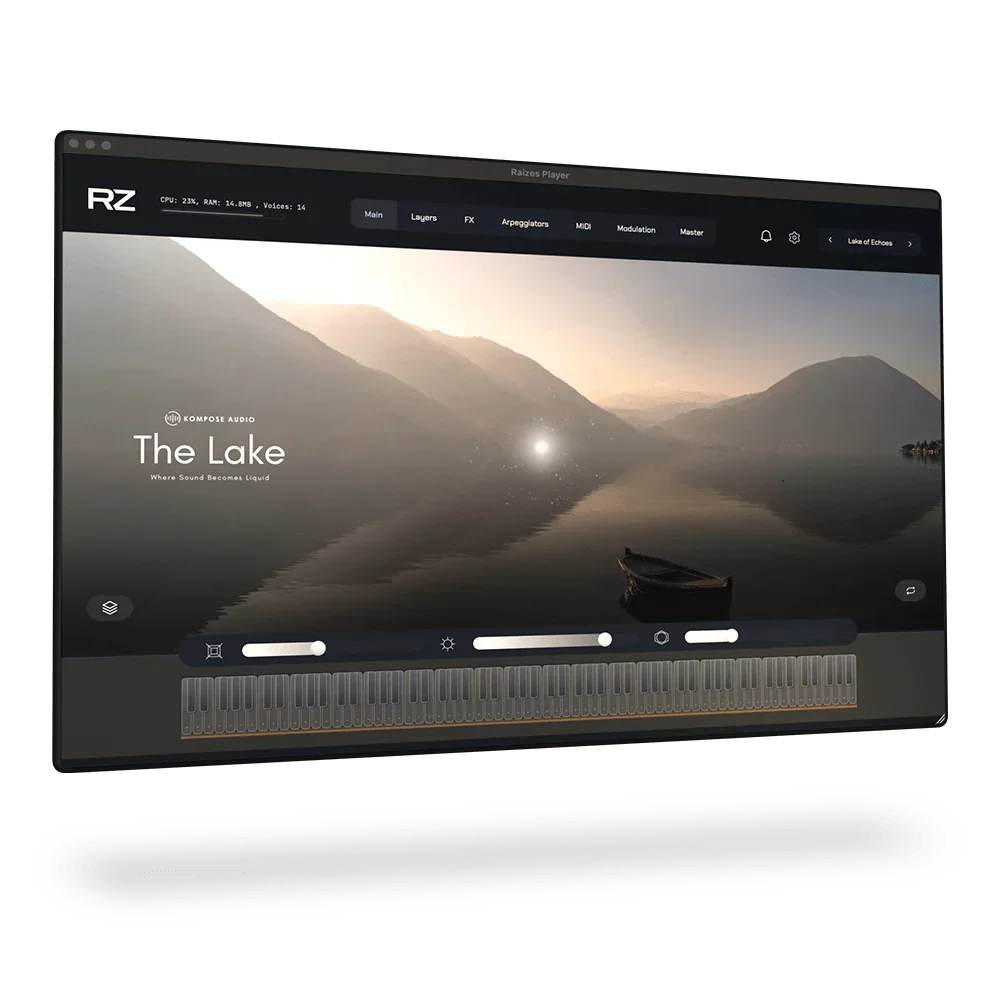
Raizes by ZAK Sound is a hybrid platform that blends advanced sampling with powerful wavetable synthesis, designed to host and enhance our custom instruments. With its 6-layer audio engine, dual filters, 36 FX slots, and a comprehensive modulation system, Raizes is a true creative powerhouse.
After purchasing a Raizes Library, you will have access to download the free Raizes Player.
Featuring an intelligent MIDI generative engine and a curated library of over 1,200 MIDI files, Raizes goes beyond sound design to become a foundational tool for your entire composition. Fully compatible with MPE devices, it is the ultimate environment for producers and composers looking to unlock new levels of expression and inventiveness.
How do I download and install a Raizes Library?
After purchasing a Raizes Library, you will receive a redemption code by email. You can also access your redemption code from your account.
If the email doesn’t appear in your inbox, please check your spam or junk folder.
You can also find your code by clicking the Access Content button in your order confirmation email.
- Copy your redemption code.
- Go to the ZAK Sound website here and log in (or create an account).
- Click Redeem Code and enter your code. This will add the library to your ZAK Sound account.
Next, download and install the Raizes Player.
Once installed, open the Raizes Player, login to your ZAK Sound account and click the refresh icon. Your new Raizes library will appear and be ready to download.
You can install a Raizes Library on up to three computers.
Which DAWs are compatible with Raizes?
Raizes works with any DAW that supports VST3 or AU plugins on Windows, macOS and Linux.
Please note - Raizes is not compatible with Pro Tools (AAX).
Control Raizes from your iPad
Turn your device into a tactile performance surface with RZ Mobile. Forget generic MIDI remotes - RZ Mobile connects natively to Raizes Player to unlock a new dimension of expression.
- Expressive MPE: Play with depth using the multi-touch keyboard.
- Generative Touch: Sketch evolving chords with a single gesture.
- Motion Modulation: Tilt to morph filters and gain in real-time.
- Seamless Sync: Control core macros wirelessly.
What software and hardware do I need to use a Raizes Library?
To use a Raizes Library, you’ll need the following:
- A MIDI controller keyboard
- A DAW (Digital Audio Workstation)
- A compatible desktop computer or iPad
Important things to know:
- The Raizes Player is not a music streaming service – it doesn’t include pre-made music.
- It’s a virtual instrument, designed to help musicians create their own music.
- The Raizes Player doesn’t record audio on its own. To record your music, you’ll need to use it inside a DAW.
Click here to learn more about DAWs.
Raizes Library

Where Sound Becomes Liquid

Meet RZ Mobile. The perfect companion.
Turn your device into a tactile performance surface with RZ Mobile. RZ Mobile connects natively to Raizes Player to unlock a new dimension of expression.

Create the Perfect Soundscape for Meditation, Healing, and Positive Energy
All of our Instruments are meticulously crafted to support compositions that foster meditation, deep healing, and positive mind states. Designed to resonate with the natural vibrations of the universe, they promote harmony and a sense of connection. Each sound contributes to a holistic auditory experience, making them ideal for creating music that soothes the mind, heals the body, and elevates the spirit. Perfect for composers seeking to inspire relaxation, mindfulness, and a profound sense of calm and connection.
Technical Information
Please carefully read the system requirements before purchasing this product.
Raizes Library Requirements
Platforms Supported
- macOS, 10.11 or higher, VST3 / Audio Unit (AU), Intel & Apple Silicon, Standalone App.
- Windows 7 or higher (64-bit), VST3 Plugin, Standalone App.
- Linux, Ubuntu 22.04 or higher, VST3 Plugin, Standalone App.
Plugin Formats
- Audio Unit (AU)
- VST3
DAWS Supported
Raizes works with any DAW that supports VST3 or AU plugins on Windows and macOS.
Please note - Raizes is not compatible with Pro Tools (AAX).
